
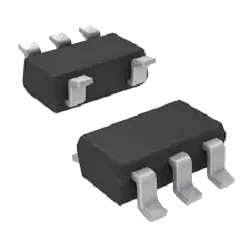
MCP103T-475E/TT PMIC - Supervisors от Microchip Technology
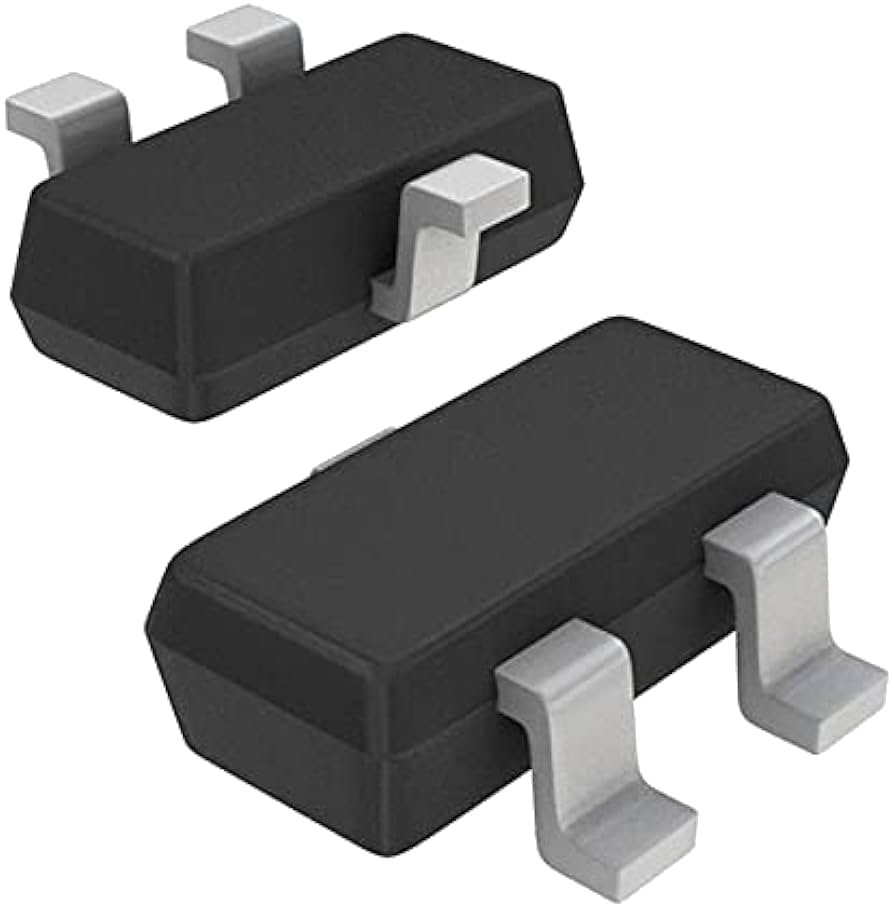
MCP103T-475E/TT — это компонент категории PMIC - Supervisors от Microchip Technology в упаковке SOT-. Его обычно проверяют для IC SUPERVISOR 4.63V LOW SOT-23B. На этой странице указаны текущие остатки TrustCompo, уровни цен, данные по корпусу, доступ к datasheet, compliance-атрибуты, варианты отгрузки со склада Hong Kong, подтверждение оплаты и RFQ-варианты для покупателей, которым нужно подтвердить именно этот ordering code.
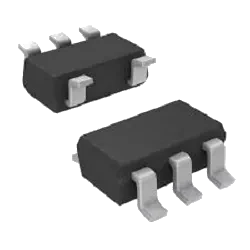
Изображения приведены только для справки. Пожалуйста, свяжитесь с нами для получения последних изображений.
- Гарантия 365 днейПоддержка после покупки помогает закупщикам разбирать вопросы качества в понятный срок проверки.
- Отправка в течение 24-48 часовДоступные позиции могут быть быстро отправлены после подтверждения цены, количества и деталей доставки.
- 100% проверка на контрафактКомпоненты проходят проверку подлинности и инспекцию перед отгрузкой.
Ключевые характеристики
- Номер детали
MCP103T-475E/TT
- Внутренний код
TCE000118127
- Упаковка
SOT-
- Производитель
- Microchip Technology
Ключевые характеристики
- Серия
-
- Минимальное количество
1
- Категория
- Integrated Circuits (ICs)
- Подкатегория
- PMIC - Supervisors
- Описание
IC SUPERVISOR 4.63V LOW SOT-23B
- Основные характеристики
-
- Техническое описание
- Открыть datasheet MCP103T-475E/TT
Сигналы доверия
Качество и доверие
Проверьте credentials TrustCompo, поддержку traceability, anti-counterfeit handling и inspection controls перед отправкой RFQ.
4 сертификата
ISO 9001
Процессы менеджмента качества для более стабильной закупки и обращения с продукцией.
AS9120B
Контроль дистрибуции авиационного уровня для прослеживаемости и надежности.
ISO 14001
Экологическая дисциплина в операционных и складских процессах.
ESD Control
Стандарты защиты от электростатического разряда для чувствительных компонентов.
RFQ checklist
Процесс заказа
Подтвердите ключевые данные закупки для MCP103T-475E/TT до RFQ, выпуска PO и планирования отгрузки.
- 1
Подтвердить MPN
Укажите точный part number, производителя, package и approval constraints в RFQ.
- 2
Проверить склад и цену
Проверьте live availability, MOQ, lead time, финальную цену и налоговые условия до PO.
- 3
Согласовать документы
Подтвердите datasheet, CoC, traceability, lifecycle notes и scope инспекции, если требуется.
- 4
Организовать отгрузку
Выпустите PO и согласуйте DHL, FedEx, UPS или buyer forwarder shipment из Hong Kong.
Перед выпуском PO
Проверка детали
- Точный MPN подтвержден: MCP103T-475E/TT
- Корпус для проверки: SOT-
Коммерческие условия
- Live stock и срок поставки подтверждены через RFQ
- Финальная цена и налоговые условия подтверждены до выпуска PO
Отгрузка и документы
- Ship-from location: склад Hong Kong
- Способ доставки: DHL, FedEx, UPS или аккаунт экспедитора покупателя
Технические параметры
Параметры
Сравните сгруппированные параметры MCP103T-475E/TT от Microchip Technology, включая package, series, key attributes и technical values для engineering и sourcing review.
Export Classifications & Environmental
JESD-609 Code
e3
Export Classifications & Environmental
Moisture Sensitivity Level (MSL)
1 (Unlimited)
Export Classifications & Environmental
RoHS Status
ROHS3 Compliant
Export Classifications & Environmental
REACH SVHC
No SVHC
Export Classifications & Environmental
HTSUS
8542.39.0001
Export Classifications & Environmental
ECCN Code
EAR99
| Параметр | Значение |
|---|---|
JESD-609 Code This code indicates the terminal finish material per JESD-609 standard. It helps identify the plating type for soldering compatibility and environmental compliance. Check the datasheet for the exact code and its meaning. | e3 |
Moisture Sensitivity Level (MSL) Indicates the floor life of a component before it must be baked prior to soldering. Higher levels require stricter handling and shorter exposure times. Verify the MSL rating in the datasheet to ensure proper storage and assembly conditions. | 1 (Unlimited) |
RoHS Status Indicates whether the component complies with the EU RoHS directive restricting hazardous substances. Buyers should verify this status for regulatory compliance and market access. Check the datasheet or certificate for exact compliance details. | ROHS3 Compliant |
REACH SVHC Indicates whether the product contains substances of very high concern as per the REACH regulation. Buyers should verify this for compliance with EU environmental standards, especially when exporting to Europe. Check the manufacturer's declaration or datasheet for accurate SVHC status. | No SVHC |
HTSUS Harmonized Tariff Schedule of the United States code for customs classification. Essential for import/export documentation and duty calculation. Verify the correct code with a trade specialist to avoid customs delays. | 8542.39.0001 |
ECCN Code Export Control Classification Number assigned by the U.S. Commerce Department. It determines export licensing requirements for electronic components. Verify the ECCN against the manufacturer's datasheet or export compliance documentation before shipping internationally. | EAR99 |
| Параметр | Значение |
|---|---|
Terminal Finish Specifies the plating material on component terminals, affecting solderability, corrosion resistance, and long-term reliability. Compare finishes like tin, gold, or silver for your assembly process and environmental requirements. Verify against datasheet for compliance. | Matte Tin (Sn) |
Number of Channels Specifies how many independent signal paths or outputs the component provides. Compare this value with your circuit requirements to ensure each channel can be used separately. Verify the channel configuration in the datasheet, as some devices may share pins or have internal connections. | 1 |
Adjustable Threshold Check whether the device's threshold voltage or current can be set by the user. This matters for comparators, voltage detectors, and supervisory circuits. Verify the adjustment range and method in the datasheet before selecting the part for your application. | NO |
Watchdog Timer Indicates whether the component includes a watchdog timer and its type. This timer resets the system if software hangs, improving reliability. Verify the timeout period and enable/disable options in the datasheet for your application. | No |
Output Type Specifies the electrical output configuration of the component, such as single-ended, differential, push-pull, or open-collector. This affects signal integrity and interface compatibility. Verify against the datasheet to ensure it matches your circuit requirements. | Push-Pull, Totem Pole |
| Параметр | Значение |
|---|---|
Part Status Lifecycle status of the part, such as active or obsolete. Indicates availability and long-term support from the manufacturer. Check this before design-in to avoid last-time buys or supply disruptions. Verify with the datasheet or distributor for current status. | Active |
REACH Status Shows whether the component complies with the EU REACH regulation. Essential for legal market access in Europe. Check the manufacturer's latest statement to confirm that no substances of very high concern are present above the threshold. | REACH Unaffected |
ECCN Export Control Classification Number assigned by the U.S. government. Determines whether the component requires an export license. Essential for international trade compliance. Verify the ECCN with the manufacturer or supplier before shipping to avoid legal issues. | EAR99 |
Lead Free Indicates whether the component is manufactured without lead, complying with RoHS and similar regulations. Check this attribute to ensure environmental compliance for your market. Verify against the datasheet for exact material declarations. | Lead Free |
Mounting Type Specifies how the component is attached to the PCB, such as through-hole or surface mount. This affects assembly processes, thermal performance, and mechanical strength. Buyers should verify compatibility with their manufacturing capabilities and design requirements. | Surface Mount |
Factory Lead Time Indicates the typical duration from order confirmation to shipment from the manufacturer's facility. This helps you plan production schedules and inventory. Verify current lead times with your distributor or supplier, as they may vary based on order quantity, product availability, and market conditions. | 12 Weeks |
Published Published indicates the date when the product data was released or updated in the catalog. It helps buyers assess the freshness of the information and whether the component is current or possibly obsolete. Check the datasheet for the latest revisions. | 2005 |
Packaging Indicates the form of delivery for the component, such as tape and reel, tube, or tray. This affects handling, storage, and assembly processes. Verify the packaging type matches your production requirements and equipment compatibility. | Tape & Reel (TR) |
Categories Lists the product categories or classifications assigned to this component, such as connectors, capacitors, or modules. This helps in filtering and comparing similar parts. Review the categories to ensure the component fits your application and to find alternative parts in the same class. | Integrated Circuits (ICs) |
Terminal Position Position of the terminals on the package, such as dual-in-line, gull-wing, or J-lead. This affects PCB layout, soldering, and thermal performance. Engineers must ensure the terminal position matches the footprint and assembly capabilities of their manufacturing line. | DUAL |
Peak Reflow Temperature (Cel) Maximum temperature during reflow soldering that the component can withstand. This is critical for solder joint reliability and preventing damage. Verify that the peak reflow temperature is compatible with your soldering profile and the component's moisture sensitivity level. | 260 |
Terminal Form Describes the physical configuration of the component's leads or pads, such as through-hole, surface mount, or gull-wing. This affects PCB layout, soldering process, and mechanical fit. Confirm compatibility with your assembly method and footprint. | GULL WING |
Operating Temperature Specifies the ambient temperature range within which the component reliably functions. Compare this with your application's thermal environment to ensure proper operation. Always verify against the datasheet for derating curves and maximum ratings. | -40°C~125°C TA |
Manufacturer Identifies the company that designed and produced the component. Buyers often filter by manufacturer to ensure brand reliability, quality standards, and supply chain consistency. Verify the manufacturer against the datasheet and official packaging to avoid counterfeit parts. | Microchip Technology |
Package / Case Physical package or case type of the component, defining its dimensions, mounting style, and thermal characteristics. Common types include SMD, through-hole, BGA, and QFN. Choose the package that fits your PCB layout and assembly process. Verify the exact package code in the datasheet for footprint compatibility. | TO-236-3, SC-59, SOT-23-3 |
Type Select the component category that best matches your application, such as resistor, capacitor, diode, or connector. This classification helps narrow down the correct part family and ensures compatibility with your circuit design. Verify the type against the datasheet to avoid mismatches. | Simple Reset/Power-On Reset |
Sub-Categories Indicates the specific product subcategories or classifications within the broader component family. Helps narrow down search results and identify the exact type of component needed for your design. Review the subcategory to ensure compatibility with your application. | PMIC - Supervisors |
Number of Functions Specifies the count of independent functions or channels integrated into a single component package. This helps engineers determine if the part can handle multiple signal paths or operations simultaneously. Verify against the datasheet to ensure the device meets your circuit's functional requirements. | 1 |
Reflow Temperature-Max (s) Maximum time the component can be exposed to the peak reflow temperature during soldering. Exceeding this duration may cause damage or degrade reliability. Ensure your soldering profile stays within this limit and check the datasheet for exact conditions. | 40 |
Mounting Type Specifies how the component attaches to the PCB or assembly, such as surface mount, through-hole, or chassis mount. This affects soldering process, mechanical stability, and thermal performance. Verify compatibility with your board layout and assembly capabilities. | Surface Mount |
Pb-Free Code Indicates whether the component is lead-free per RoHS or other directives. Buyers use this to verify environmental compliance and avoid restricted substances. Always confirm with the datasheet or certificate of compliance. | yes |
Number of Pins Total number of pins or contacts on the component. This determines the footprint and mating connector requirements. Always match the pin count to your PCB layout and connector specification to ensure proper electrical and mechanical connection. | 3 |
Pin Count Total number of pins or terminals on the component package. Essential for footprint design, PCB layout, and connector mating. Verify against the datasheet to ensure compatibility with your board and assembly process. | 3 |
Max Supply Voltage Indicates the highest DC or AC voltage that can be safely applied to the power supply pin without risking damage or malfunction. Verify this limit against the datasheet before designing your circuit to ensure reliable operation under all conditions. | 5.5V |
Nominal Supply Current Typical current drawn from the supply under nominal operating conditions. Compare this value across similar components to estimate power consumption and thermal behavior. Always verify against the datasheet for your specific voltage and load conditions. | 1μA |
Number of Terminations Indicates the total number of electrical connection points on the component, such as pins or pads. This is critical for PCB footprint design and assembly. Verify it matches the package specification to ensure proper soldering and connectivity. | 3 |
Length Specifies the physical length of the component body, typically in millimeters. This dimension is critical for PCB layout and mechanical fit. Verify against the datasheet to ensure proper clearance and alignment in your design. | 2.92mm |
Minimum Supply Voltage Specifies the lowest DC input voltage at which the component reliably operates. Compare this value with your system's power rail tolerances and the device's recommended operating conditions to ensure stable performance across all load and temperature ranges. | 1V |
Quiescent Current Quiescent current is the current drawn by the device when it is in standby or no-load condition. It affects battery life in portable applications. Compare this value across similar components to ensure low power consumption. Always verify against the datasheet for your specific operating conditions. | 1μA |
Subcategory A more specific classification within the main product category, such as 'Ceramic Capacitor' under 'Capacitors'. This helps narrow down search results and compare similar components. Use it to filter products with similar characteristics and intended applications. | Power Management Circuits |
Number of Voltages Monitored Defines how many distinct voltage rails the supervisory circuit can monitor simultaneously. Choose a device with enough channels to cover all critical supply voltages in your system. Ensure the monitored levels match your required thresholds for proper reset and power sequencing. | 1 |
Reset Specifies the reset capability of the component, such as power-on reset, manual reset, or watchdog reset. Engineers compare reset types to ensure proper system initialization and fault recovery. Verify the reset threshold and timing against the datasheet for reliable operation. | Active Low |
Max Output Current Specifies the highest continuous current the device can supply at its output without exceeding thermal or electrical limits. Compare this value with your load requirements and derating curves. Always verify against the datasheet for your operating conditions. | 10mA |
Terminal Pitch Terminal pitch is the center-to-center distance between adjacent leads or pads on a component. It determines PCB layout compatibility and soldering feasibility. Verify against the datasheet to ensure your footprint matches the component's actual lead spacing. | 0.96mm |
Threshold Voltage The minimum gate-to-source voltage that makes the device start conducting. Compare this value across parts to ensure your drive circuit can reliably turn the switch on. Always verify against the datasheet for your operating temperature. | +4.63V |
Voltage - Threshold Specifies the voltage level at which a supervisory or detection circuit triggers a reset or alert. Compare this value with your system's operating range to ensure reliable monitoring. Always verify against the datasheet for exact tolerances and temperature dependence. | 4.63V |
Overvoltage Threshold Specifies the voltage level at which the device triggers an overvoltage protection response. Compare this threshold with your system's maximum operating voltage to ensure the protection engages before damage occurs. Verify against the datasheet for accuracy. | 4.7V |
Max Reset Threshold Voltage The highest voltage level at which the reset signal is triggered. This is critical for ensuring the system resets before the supply drops below a safe operating level. Compare this threshold with your minimum required operating voltage to guarantee reliable reset behavior. | 4.7V |
Max Supply Current Maximum current drawn from the power supply under specified operating conditions. Compare this value across similar components to estimate power consumption and thermal load. Always verify against the datasheet for your exact supply voltage and load scenario. | 1.75μA |
Operating Supply Current The amount of current the device draws from its power supply during normal operation. This is essential for power budget calculations, thermal management, and selecting appropriate power sources. Check datasheet for typical and maximum values under specified conditions. | 1.75μA |
Reset Timeout Specifies the duration after the monitored voltage crosses the threshold before the reset signal is asserted. This delay prevents false resets due to transient glitches. Verify that this timeout is compatible with your system's power-up timing requirements to avoid premature or delayed reset. | 80ms Minimum |
Min Reset Threshold Voltage Specifies the lowest voltage level at which the reset signal is asserted. Compare this value with the operating voltage range to ensure reliable system reset during power-up or brownout conditions. Verify against the datasheet for your specific supply rail. | 4.561V |
Undervoltage Threshold Defines the voltage level below which the device signals an undervoltage condition, protecting downstream circuitry from insufficient supply. Check this threshold against your power supply's minimum voltage to ensure proper system operation. Verify with the datasheet for accuracy. | 4.561V |
Manufacturer's Part No. The unique part number assigned by the original component manufacturer. Use this to cross-reference datasheets, verify specifications, and ensure the exact component matches your design requirements. Always confirm the number against the manufacturer's official documentation. | MCP103T-475E/TT |
Base Part Number Identifies the core product family without package, grade, or option suffixes. Use this to compare equivalent components across manufacturers and to locate the primary datasheet. Verify the full ordering code against the manufacturer's specification before design-in. | MCP103 |
Предпросмотр datasheet
Datasheet PDF viewer
Просмотрите datasheet для MCP103T-475E/TT от Microchip Technology, чтобы проверить package, electrical characteristics, application notes и document evidence до RFQ.
Microchip Technology
MCP103T-475E/TT
Страница 1 из 0 / —
Загрузка PDF viewer...
Документы уведомлений
PCN / product notice documents
0 документов
Публичные PCN / PDN записи сейчас не показаны
Для MCP103T-475E/TT сейчас не показан публичный product notice document. Подтвердите PCN, PDN, EOL, date code и lifecycle status во время RFQ до производственной закупки.
Связанные варианты закупки
Рекомендуемые товары
Посмотрите больше компонентов из той же подкатегории, чтобы сравнить наличие, совместимость и варианты закупки.
Частые вопросы
FAQ по товару
Точные ответы для покупателей, которые проверяют ordering code MCP103T-475E/TT, упаковку, наличие, datasheet и путь замены.
Что означает MCP103T-475E/TT?
MCP103T-475E/TT — это точный ordering code для компонента категории PMIC - Supervisors от Microchip Technology. Текущий корпус указан как SOT-, а контекст позиции включает IC SUPERVISOR 4.63V LOW SOT-23B. Используйте полный код при запросе склада, цены, datasheet или compliance-подтверждения.
Как покупателям проверить ordering code MCP103T-475E/TT?
Рассматривайте MCP103T-475E/TT как полный ordering code при RFQ и инженерной проверке. Подтвердите указанный корпус SOT-, документацию производителя Microchip Technology, ordering table в datasheet, reel или packing details и требования внутреннего утверждения до замены или выпуска PO.
В каком корпусе поставляется MCP103T-475E/TT?
MCP103T-475E/TT сейчас указан с корпусом SOT- от Microchip Technology. Перед утверждением закупки подтвердите manufacturer package drawing, footprint, pinout, tape-and-reel данные и требования к приемке.
MCP103T-475E/TT сейчас доступен для заказа?
MCP103T-475E/TT сейчас помечен на странице как позиция с наличием. Перед заказом подтвердите корпус (SOT-), указанный склад (42149), доступное количество (40843), нужное количество, срок поставки, финальную цену, compliance-требования и совпадение точного ordering code через RFQ.
Где сравнить альтернативы для MCP103T-475E/TT?
Для MCP103T-475E/TT сейчас не опубликован список связанных альтернатив. Отправьте RFQ с количеством, ограничениями по корпусу и требованиями к утверждению, чтобы TrustCompo помогла проверить возможные replacement options.